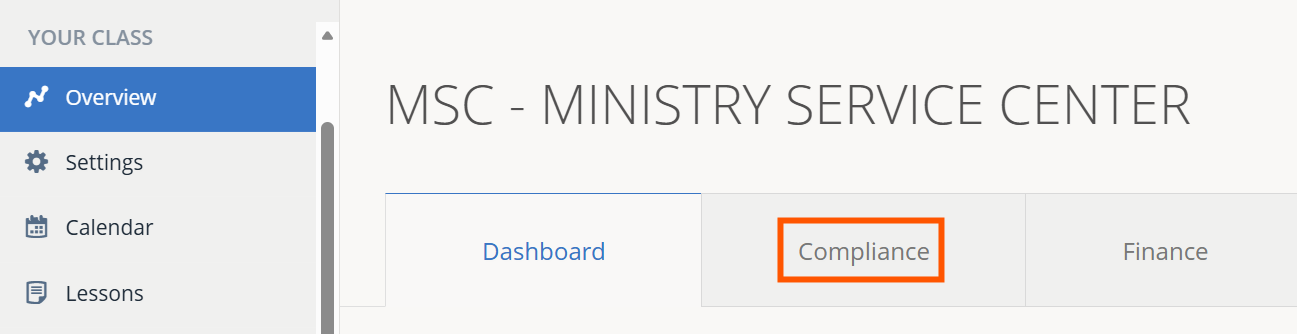
1.) Click the Compliance tab.
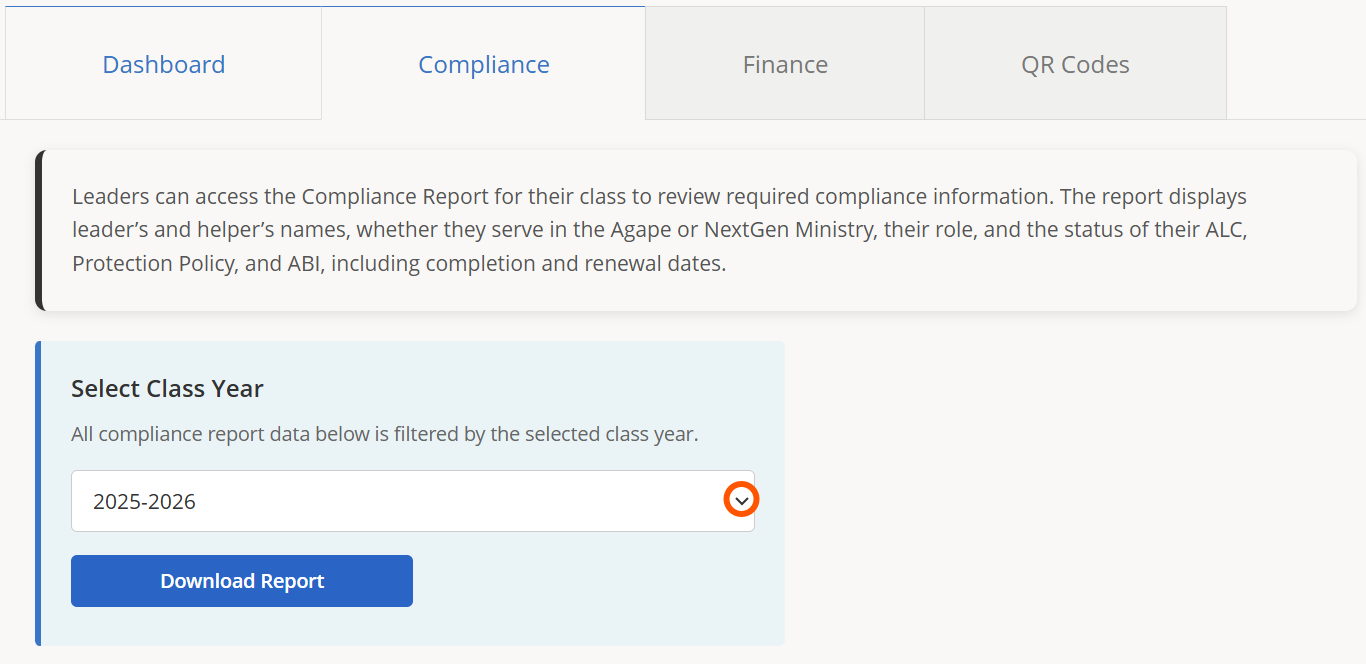
2.) Click the drop-down menu to select a class year for the report.
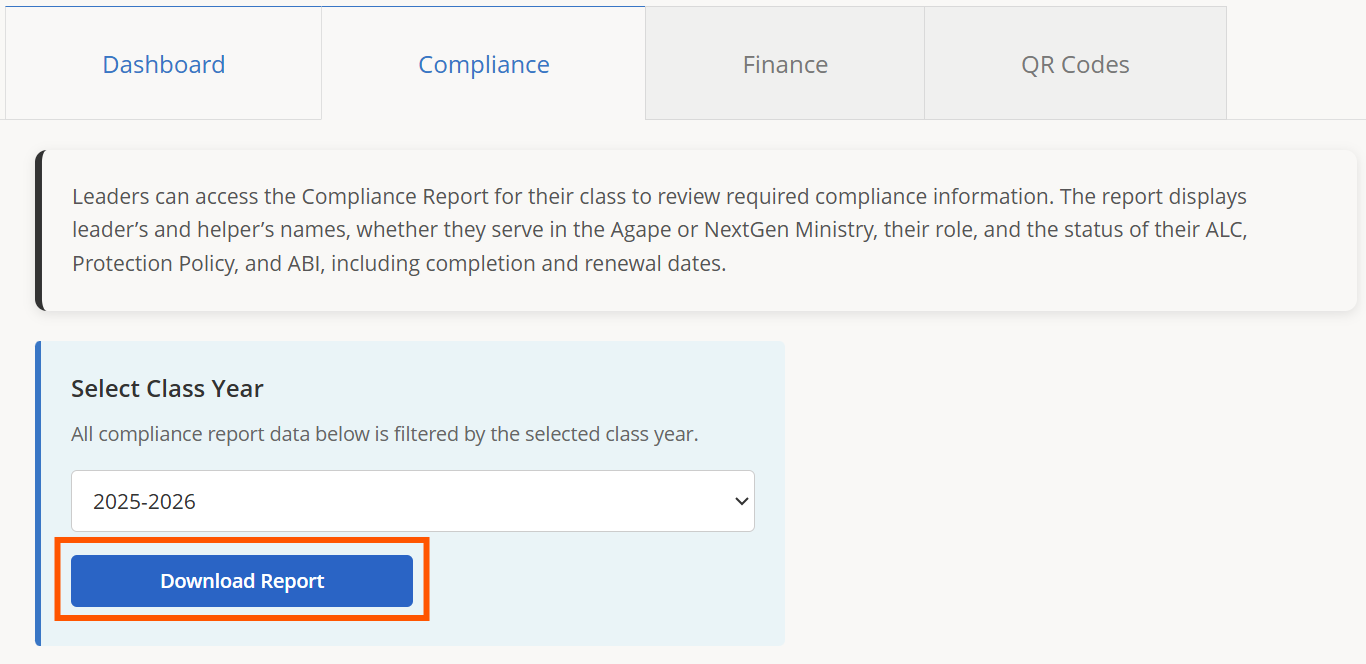
3.) Click Download Report to download the report. The file can be opened in any spreadsheet application, e.g. Microsoft Excel or Apple Numbers.

1.) Click the Compliance tab.
2.) Click the drop-down menu to select a class year for the report.
3.) Click Download Report to download the report. The file can be opened in any spreadsheet application, e.g. Microsoft Excel or Apple Numbers.