
At the completion of your current course, you can move your group to a new course. When moving your group, you will have the option to automatically send invitations to your current participants.
*Although you can move your group into a new course at any time, we recommend waiting until at most four weeks before your group will begin. This will ensure that the new course will not close before you have finished meeting.
To create a group in a new course:
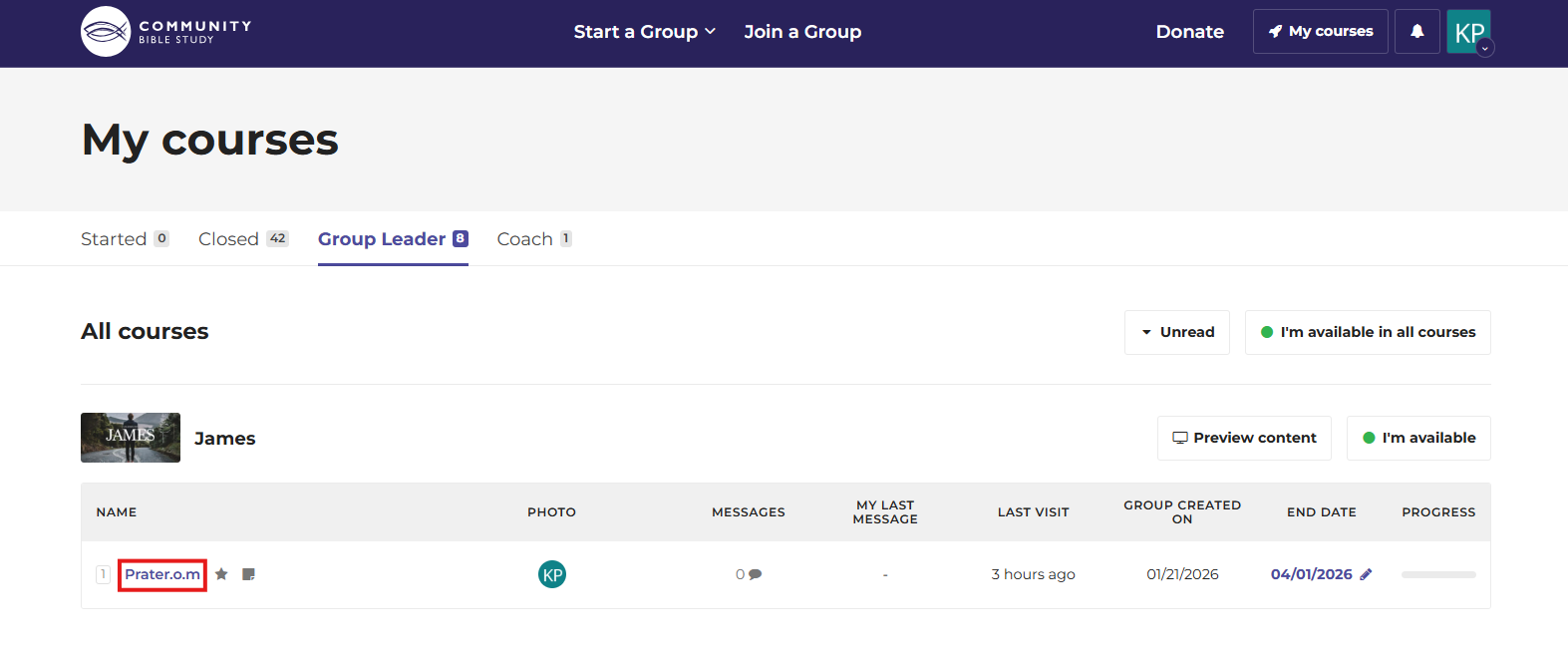
1. Log in to your account at na.communitybiblestudy.org and access the Course Homepage for your group.
2. Click on More in the menu on the right side of the page, then click Invite to next course.
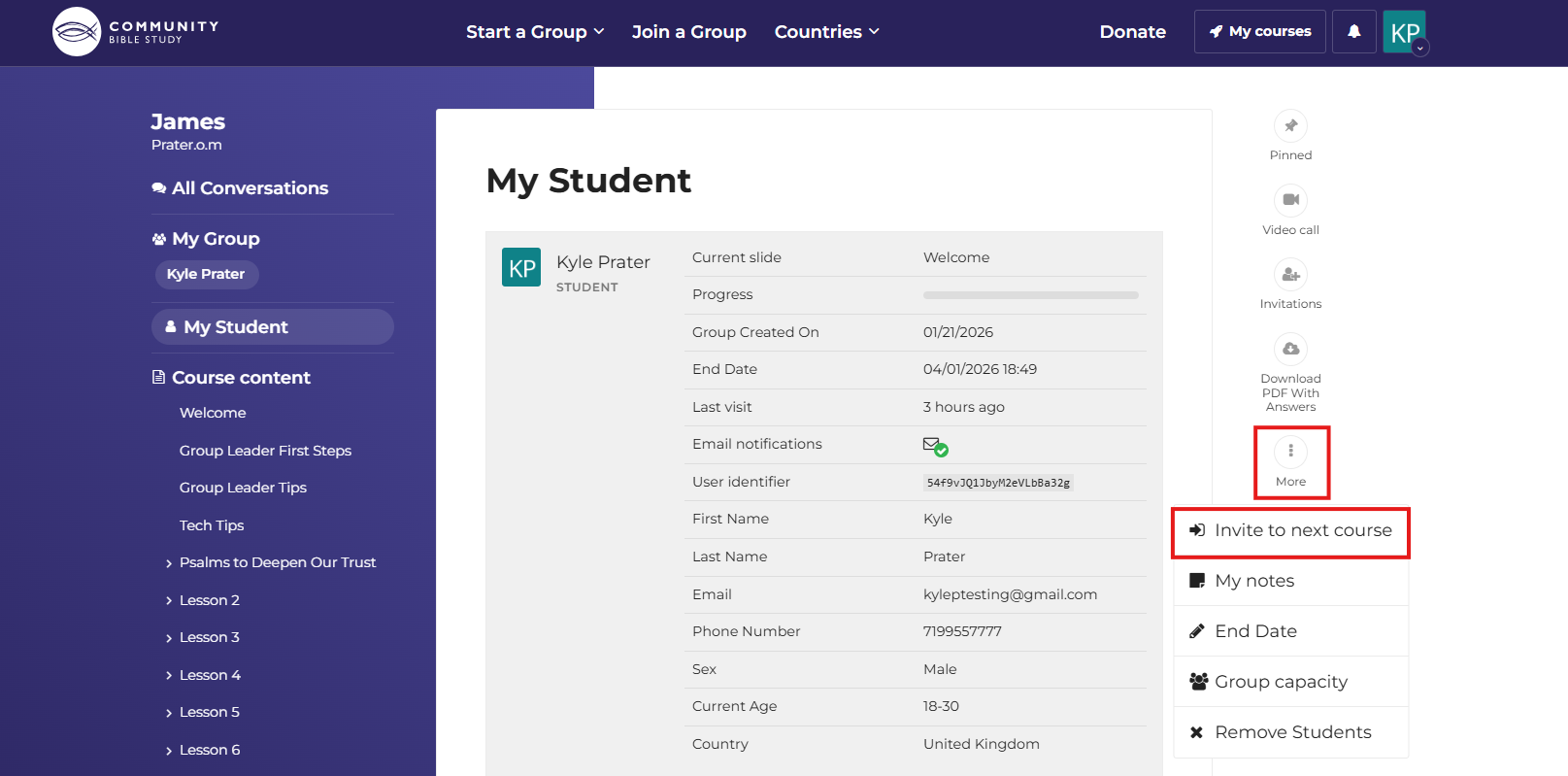
Note: You must have at least one person enrolled in your group in the platform in order for the option to invite your group to the next course to show in the menu.
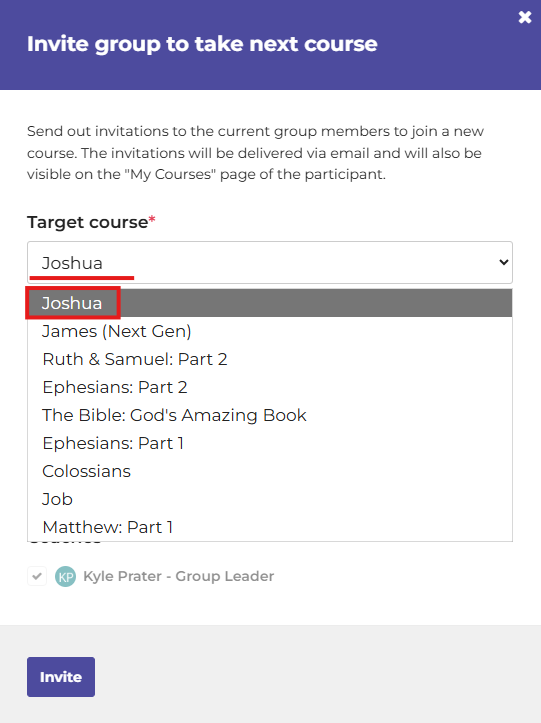
3. Select the course you would like to complete next with your group from the Target course dropdown.
4. If you would like to put in a custom name for your group, type the name into the Name of the new group box. This will be the name that you see when you access the course from your My courses page.
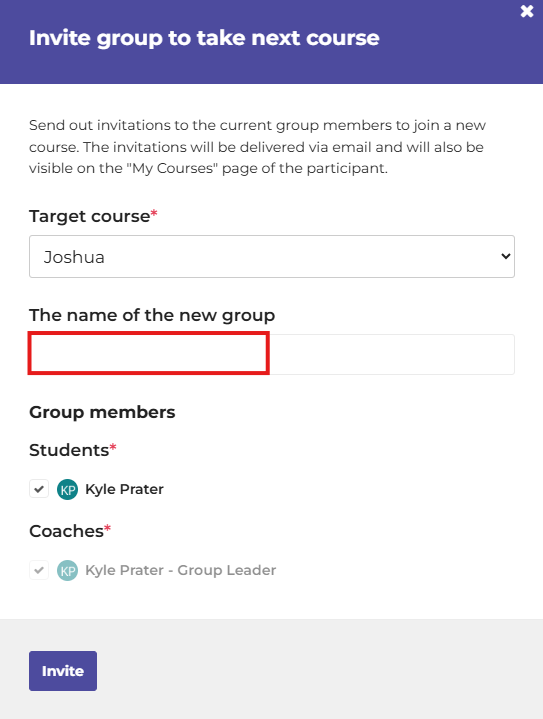
5. All of the participants who are enrolled in your group will show under “Students” and will be set to receive an invitation to the new group by default. If there is anyone you do not want to invite to the next course, uncheck the checkbox next to their name.
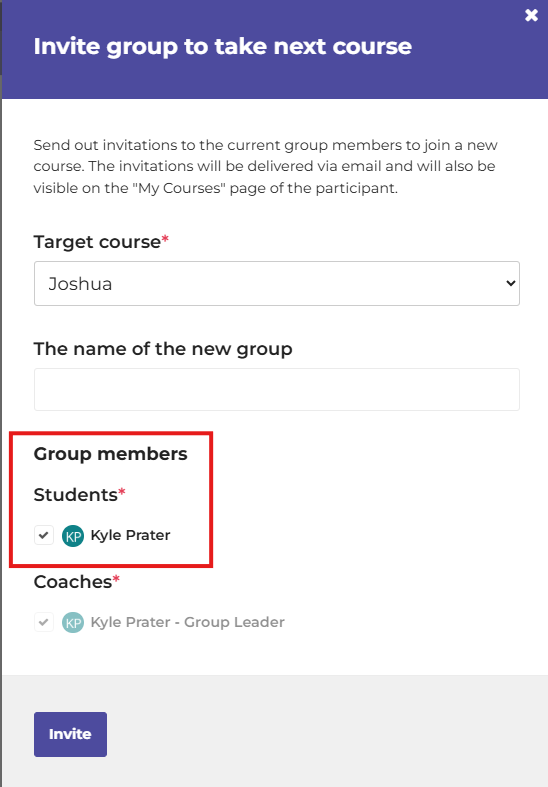
Note: If needed, you will still be able to access the Invitations menu to send additional invitations to other participants once the new group has been created.
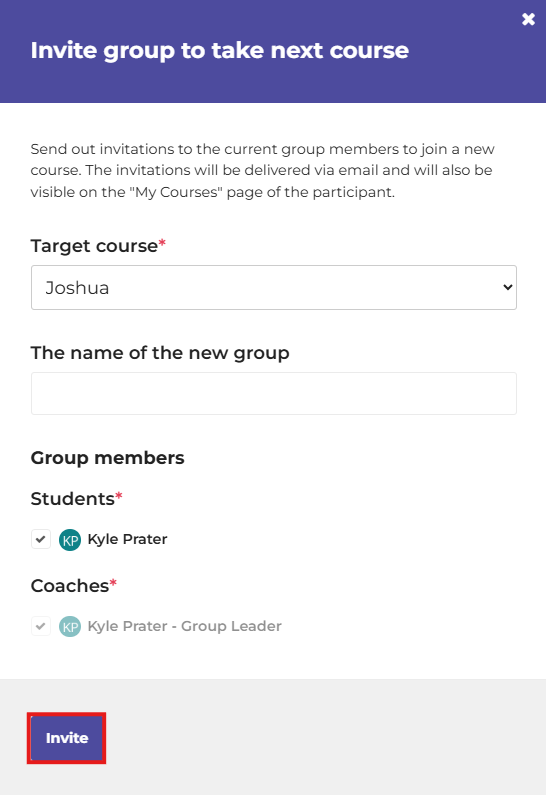
6. Click Invite to create the group in the new course and send the invitations to your participants.
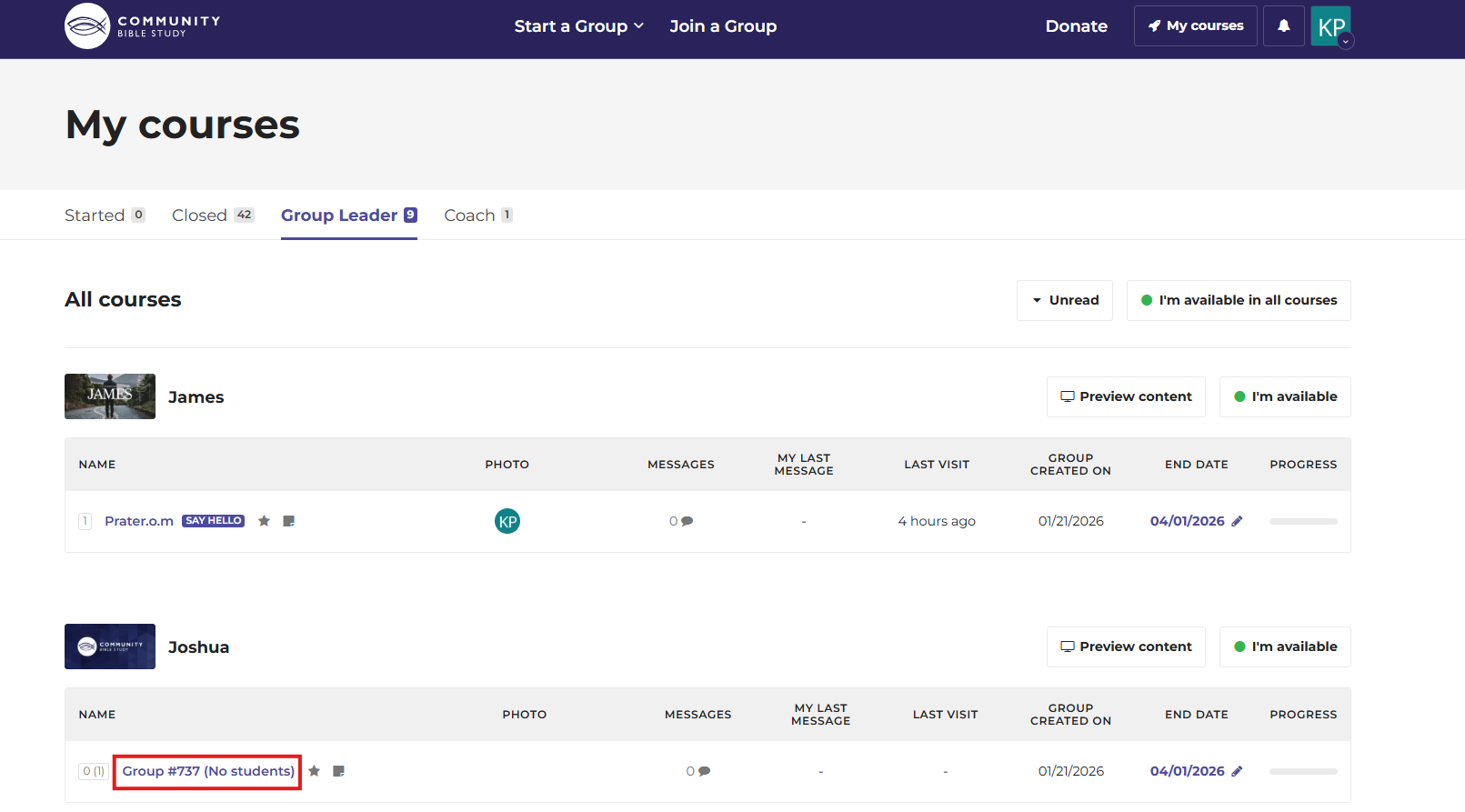
7. The new group will now show on the Group Leader tab on your My courses page in the platform. Click on the name of the group underneath the course to access the Group Homepage for the group.
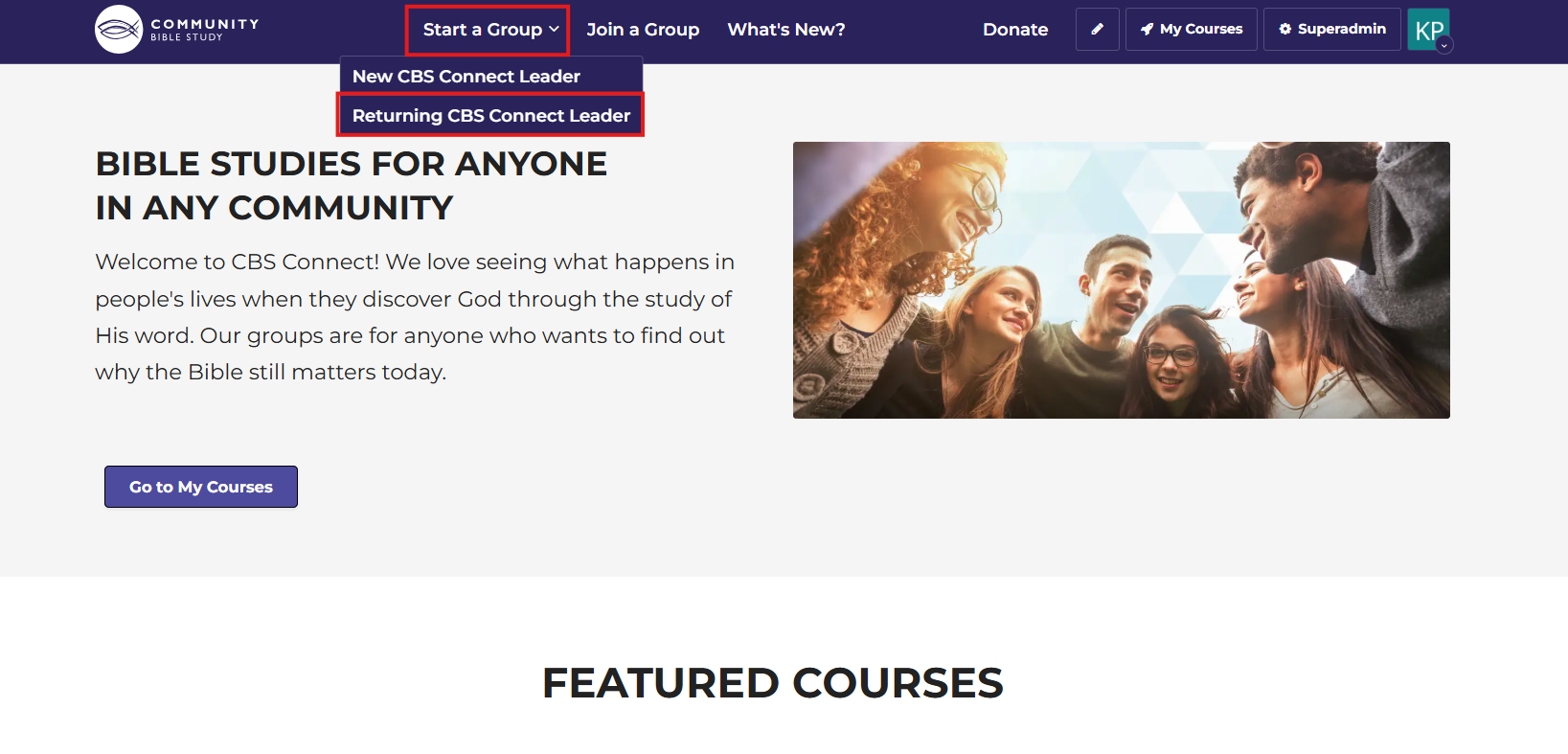
Please note that in order to create a group in a new course, you must have an active group open in the platform. If you do not have an active group open in the platform, click on Start a Group at the top of the Homepage and select Returning CBS Connect Leader. This will take you to the Returning Leader form, where you can select the course that you would like to do. You will receive an email when your course is created and you can invite participants.
If you have any questions or need assistance with the process of creating your new group, please send us an email at answers@communitybiblestudy.org.